How to Redeem UNFAMILIAR Codes
Paste RELEASE correctly, fix common errors, and claim free rewards before you enter the maze.
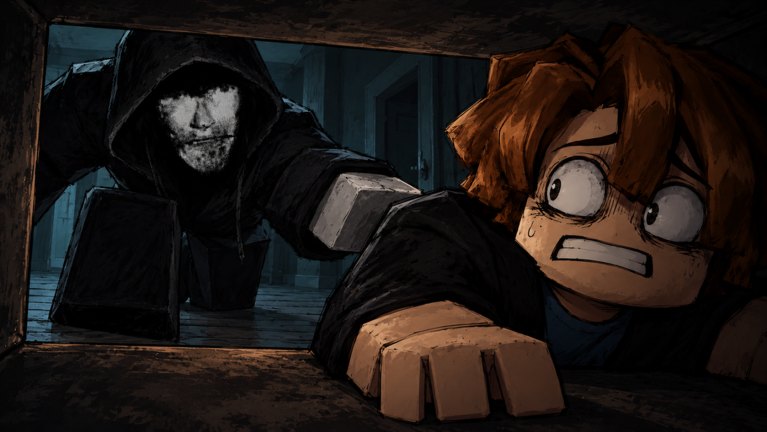
This guide shows exactly how to redeem UNFAMILIAR promo codes on Roblox, starting with the active launch code RELEASE. UNFAMILIAR is a free horror escape-room by peak games studio: locked doors, a maze house, generators to repair, flashbangs for the Intruder, and a voice-sensitive hunter who can hear you. Codes will not finish the escape for you, but they are the fastest legitimate way to grab free rewards before your first Easy or Normal run. For the live list, keep the Codes Hub open; for first-hour play, continue with Getting Started.
Before you redeem
- Use a Roblox account that can join the experience (platform support includes VR, Console, Phone, Tablet, and PC).
- Open the official place: UNFAMILIAR on Roblox.
- Join a live server and wait until the UI fully loads. Redeem fields often appear only after spawn or after leaving the first loading overlay.
- Copy
RELEASEfrom the Codes Hub instead of typing from memory. Extra spaces and wrong case are the top failure reasons. - If you play with voice chat, mute your mic in the lobby while you redeem so you do not start the Intruder encounter already compromised—see Voice Chat Stealth.
Step-by-step: redeem RELEASE
- Launch UNFAMILIAR from the Roblox website or app.
- Enter any available server. Server size can be large; you do not need a private server just to redeem.
- Look for the in-game Codes, Redeem, Shop, or Settings button. On many horror and puzzle experiences the Codes tab sits inside a gear or gift icon near the edge of the HUD.
- Open that menu and find the text box labeled Codes or Redeem.
- Paste
RELEASEexactly as shown on the Codes Hub. - Press Redeem, Submit, or the equivalent confirm button.
- Wait for a success toast or inventory update. If nothing appears, check whether the menu shows “already redeemed,” “invalid,” or “expired.”
- Close the menu, confirm the gift landed, then start your escape attempt with How to Escape and the Escape Checklist.
Mobile players should paste rather than type. Soft keyboards often auto-capitalize the first letter or insert a trailing space. Console players may need the on-screen keyboard plus a clipboard paste from the Roblox app overlay when available. VR players should complete redeem while seated in a calm lobby view so controller focus stays on the UI, not the maze.
What RELEASE is for
RELEASE is the free launch reward promoted on the experience page. Exact cosmetics or utility items can shift after patches, so trust the in-game confirmation over third-party screenshots. After you claim it:
- Skim Controls so movement and interact keys feel natural.
- Learn generator loops on Generators toward the Spark of Hope badge path.
- Practice Intruder avoidance and flashbang timing on Avoid the Intruder and Flashbang for Seeing Stars progress.
- Decide Easy vs Normal using Difficulty Ranking before jumping to Nightmare or Calamity.
- Track awards on Badges and letter goals on Ranks after your first Easy clear.
Codes do not grant A or S ranks, party escape badges, or automatic clears. Those still come from clean routing, lives management, and quiet play.
250 likes milestone status
The creators announced a new code at 250 likes. The experience now sits around ~2,335 likes / upVotes with ~305K visits, so that milestone has already been passed. Until peak games studio publishes the exact next string on the official place description:
- Keep redeeming
RELEASEas the only confirmed active code. - Check the Codes Hub whenever the description changes.
- Redeem any newly listed string with the same UI steps above.
- Confirm whether the gift is one-time only and note any requirements in the redeem message.
Do not invent placeholder codes while waiting. Fake strings waste time and train bad habits for Nightmare and Calamity runs where every second matters.
Troubleshooting failed codes
Invalid / mistyped
Recopy from the Codes Hub. Remove spaces before and after the word. Try uppercase RELEASE exactly.
Already redeemed
Each code is usually one redeem per account. Alt accounts may work for some games, but always follow Roblox rules and the creators’ intent. Focus on improving your main clear with Solo Survival or Multiplayer Tips.
Expired
Launch codes eventually rotate. If RELEASE dies, it moves to the expired section on the Codes Hub. Watch Patch Notes and the Updates Hub for replacements.
No Codes button visible
Wait for full UI load, leave and rejoin, or check whether you are stuck in a cinematic or death screen. Some HUDs hide menus while the Intruder chase UI is active—redeem in a calm lobby moment when possible.
Rewards missing from inventory
Rejoin once. If the success message appeared, the gift may apply on next spawn. If not, verify you redeemed on the correct experience and not a copycat place.
Platform quirks
Phone and Tablet share the same paste advice. Console text entry is slower—paste when you can. VR users should avoid redeeming mid-chase; finish the UI task first, then enter the house focused.
Redeem workflow for parties
If you queue with friends for party escape badges:
- Everyone redeems before ready-up so nobody AFKs in the code menu mid-run.
- Assign one player to watch the Codes Hub for the 250-likes drop during breaks.
- Keep voice discipline after redeem—Intruder hearing still applies. Review Voice Chat Stealth and Multiplayer Tips.
- Use a shared Escape Checklist so free rewards do not distract from generators, keys, and exit routing.
Codes vs scripts
Redeeming RELEASE never requires an executor. Anything that asks you to paste a loadstring is outside the official codes path. For risk context only, see the Scripts Hub. Prefer codes, practice, and wiki guides over tools that can ban an account.
After a successful redeem: first-hour plan
- Confirm the gift in your inventory or currency UI.
- Read Getting Started and Controls.
- Attempt Easy with How to Escape as your route map.
- Repair generators carefully (Generators) and save flashbangs for true emergencies (Avoid the Intruder).
- Climb toward Nightmare and Calamity only after Normal feels stable—use the Tier List Hub and Difficulty Ranking.
- Track badges and lives discipline with the Escape Checklist and skim the Wiki overview when you need a full map of pages.
Keeping this guide honest
UNFAMILIAR is inspired by MONOCHROME, Fears to Fathom, and the Mandela Catalogue tone: tension, limited information, and sound as a threat. Codes are a small QoL layer on top of that design. We update redeem steps when the HUD changes and keep facts aligned with the Codes Hub and Patch Notes. If the creators move Codes into a different menu, follow the in-game label first, then return here after the next content refresh.
Redeem once, stay quiet, and spend the free rewards on a calmer first escape—not on louder voice chat that tells the Intruder exactly where you are.
Frequently Asked Questions
Quick answers about codes, escape routes, and Intruder stealth.
How do I redeem the RELEASE code in UNFAMILIAR?
Join the official Roblox experience, open the Codes or Redeem UI, paste RELEASE exactly, and confirm. Success usually shows a toast or inventory update.
Why does my code say invalid?
Most failures are typos, extra spaces, or wrong case. Recopy RELEASE from the Codes Hub. If it still fails, the code may have expired—check the hub status table.
Can I redeem codes on phone, console, or VR?
Yes. UNFAMILIAR supports Phone, Tablet, Console, VR, and PC. Paste when possible, and finish redeeming before you commit to a loud chase or voice call.
What should I do after redeeming?
Confirm the gift, then follow Getting Started, Controls, and How to Escape. Practice generators and Intruder avoidance before Nightmare or Calamity.
When will the 250 likes code appear?
Likes already sit past 250 (~2.3K+). Watch the official place description and the Codes Hub for the exact next string; redeem it with the same steps as RELEASE. Do not invent codes.
Do I need a script to redeem codes?
No. Official codes use the in-game redeem UI only. Executors and loadstrings are unrelated and risky—see the Scripts Hub for warnings.